Receive MIDI Messages
Here is an example of using MIDI Input
Received Messages
Hands On
In the source code for this page, find <MidiReceiveLog />. This element is a React functional component which renders the Clock and message log box above. In short, a functional component is a JavaScript function that returns some HTML-like data.
In fact, this page is defined as a React functional component too. In the source code for this page see where it says export default function MidiReceivePage()... ? A default export instructs the Next.js framework what to render for a given page.jsx file within the app/ directory.
Find the source code for <MidiReceiveLog />. In VS Code you can often Command+Click on a component to navigate to the source code definition.
Read the source code for <MidiReceiveLog />.
TODO:
- Find one part of the code that you do not understand. Select that code and use Gemini to see if you can understand it better.
- Create a new React functional component that JUST renders the Most recent Song Position. See if you can clean up the display so that it shows quarter notes and remaining 16th notes.
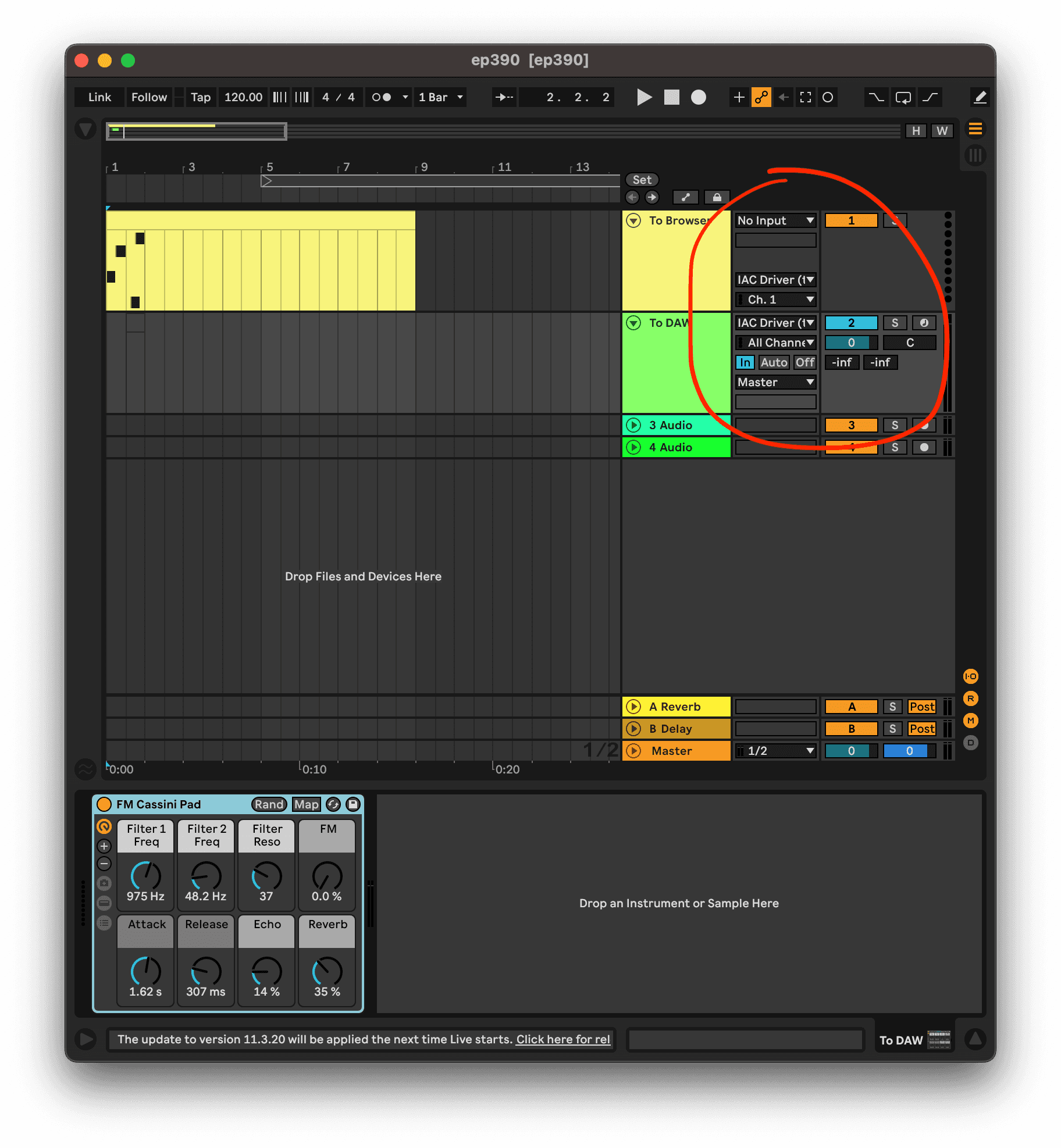
NOTE! You will have to setup Ableton to Midi "sync" in order for it to send Song Position Pointers! Open Audio MIDI Setup. In the Window menu, select "Show Midi Studio" and double Click "IAC Driver". Here is how mine is setup:
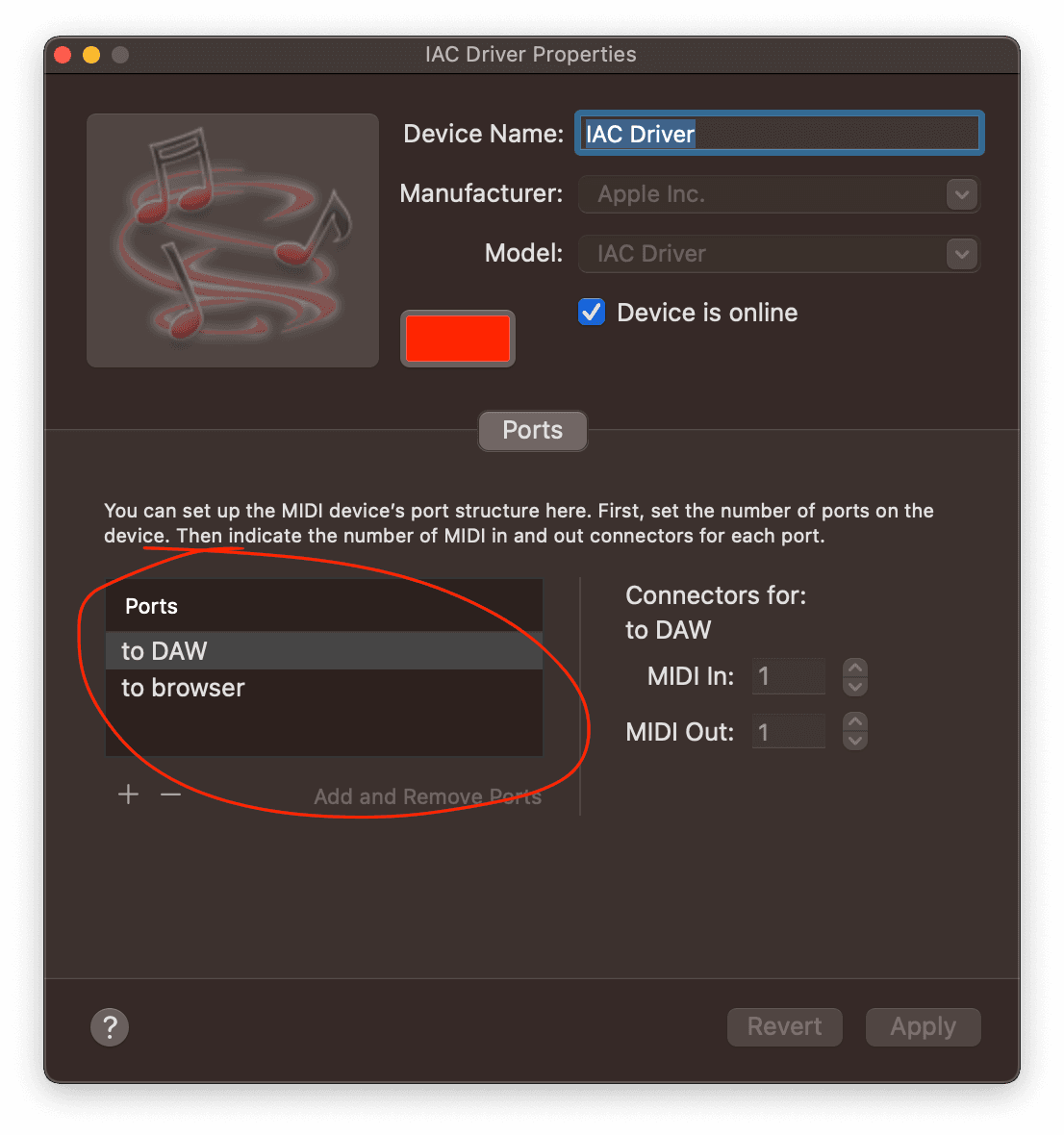
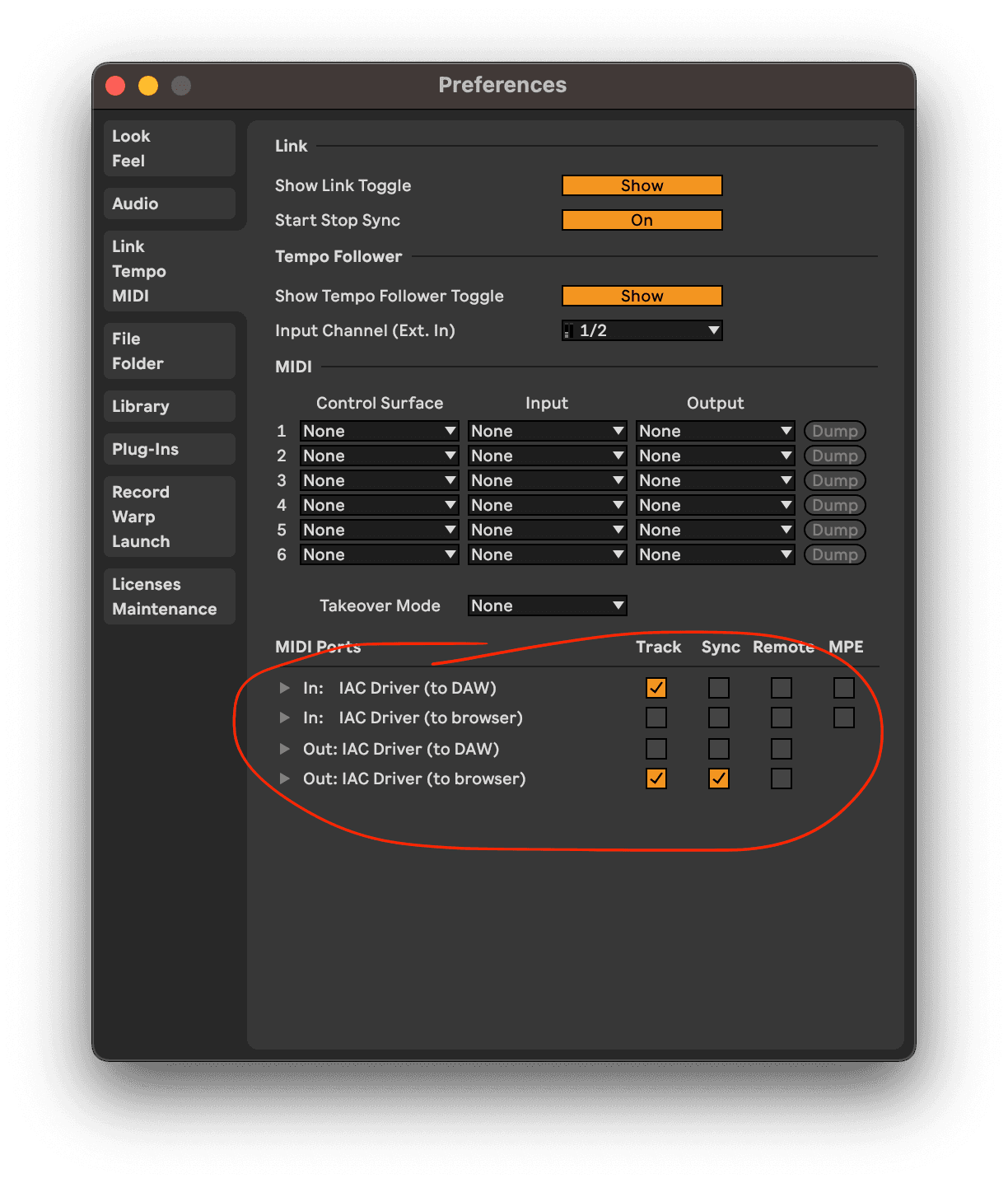
In my setup I have:
- One MIDI track sending TO the "To Browser" IAC Driver
- One MIDI track receiving FROM the "To DAW" IAC Driver (set to Input Monitoring)